Preface :
Student Master allows the user to enter student details such as Student Name, address, domicile, parent details etc
Description :
Student Master form helps the user to enter and save student particulars in the database when admitting the student in the institute.
This form is used for defining Students Information.
Click On the Tree.
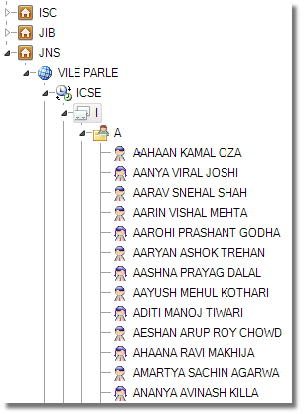
When user click on the tree, all the information display in the Controls regarding that Student.
When user click on the General tab, user has to fill the following Information
| Application No. |
The user has to enter the Application No. in the Given Control. |
| Application Date |
The user has to enter the Application Date in the Given Control. |
| Birth Date |
The user has to enter the Birth Date in the Given Control. |
| Birth Place |
The user has to enter the Place of Birth in the Given Control. |
| Nationality |
The user has to enter the Nationality in the Given Control. |
| Religion |
Select the Religion from the dropdown menu provided. |
| Community |
Select the Community from the dropdown menu provided. |
| Mobile No. |
The user has to enter the Mobile No. in the Given Control |
| Domicile |
The user has to enter the Domicile in the Given Control. |
| Residence No. |
The user has to enter the Residence No. in the Given Control. |
| Merit No. |
The user has to enter the Merit No. in the Given Control. |
| Study Centre |
Select the Study Centre from the dropdown menu provided. |
| Company |
The user has to enter the Company Name in the Given Control. |
| Batch Number |
The user has to enter the Batch No. in the Given Control. |
| Blood Group |
Select the Blood Group from the dropdown menu provided. |
| Gender |
Select the Gender from the dropdown menu provided. |
| Marital Status |
Select the Marital Status from the dropdown menu provided. |